Внимание: Этот ресурс больше не обновляется. Вся актуальная документация и новые статьи теперь доступны на нашем новом портале поддержки.
How can we help you?
Task View Area
Product:
Application:
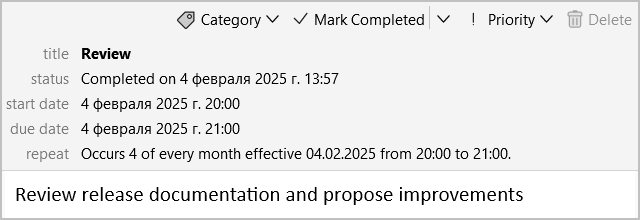
The Task View Area is shown below.
Opening
–Select a task from the Task List.
Elements
–Category button: change the category of the task.
–Mark Completed button: mark the task as completed. The context menu of the button allows you to set the status of the task completion.
–Priority button: change the importance level of the task.
–Delete button: delete the task from the list.
Was this helpful?
Yes
No
