Внимание: Этот ресурс больше не обновляется. Вся актуальная документация и новые статьи теперь доступны на нашем новом портале поддержки.
How can we help you?
Create a new calendar
Product:
Application:
1.In the Navigation bar, click the button  to the right of the My Calendars block name.
2.In the menu that opens, select New calendar.
3.In the window that opens:
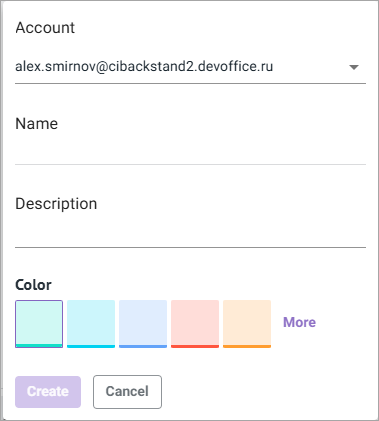
•If you have multiple accounts, select the account for which you are creating a calendar
•Enter the name of the new calendar.
•Enter a short description of the new calendar (optional field).
•Choose a color to display calendar events.
•Click Create.
The new calendar will appear on the Navigation bar in the My calendars section.
Was this helpful?
Yes
No
