Внимание: Этот ресурс больше не обновляется. Вся актуальная документация и новые статьи теперь доступны на нашем новом портале поддержки.
How can we help you?
Swap displays
Application:
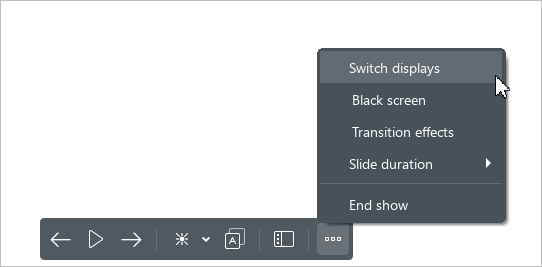
In presenter view, you can switch the display between the main and secondary monitors. To do this, on the Control bar, click  More and select Switch displays from the drop-down list.
The Switch displays order command is only displayed if an additional monitor is connected.
Was this helpful?
Yes
No